

Summarise with AI:



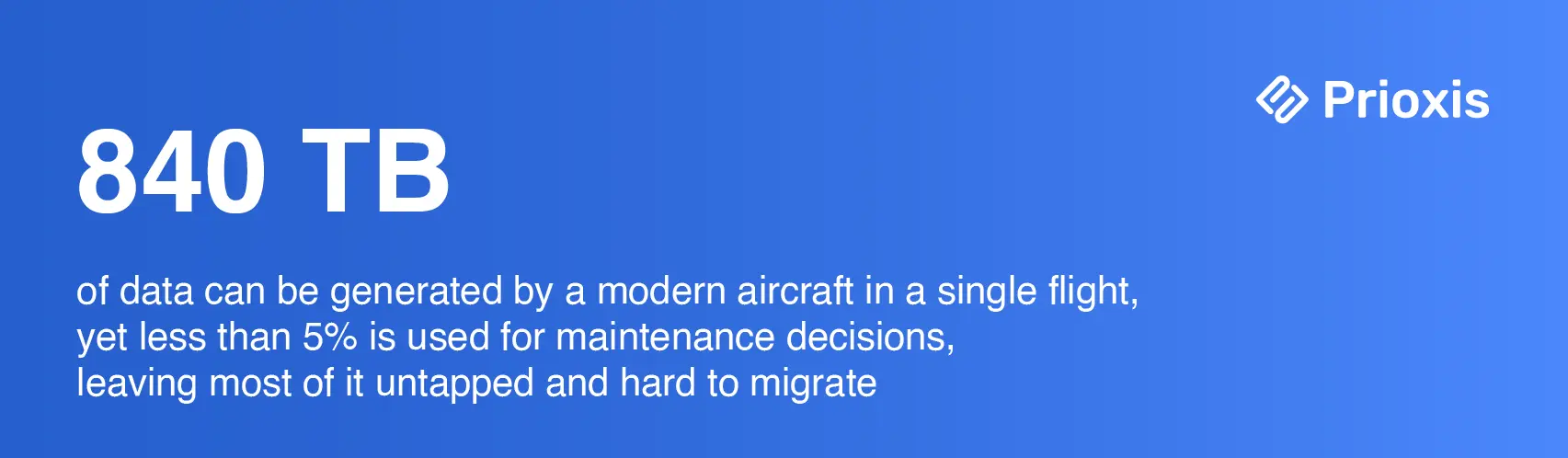
Today businesses have an immense pressure to leverage AI, the new starting line for every business. Given that AI demonstrates an incredible ability in processing data – hundreds to millions of times faster than human analysis.
This MDPI study highlights that AI-based anomaly detection systems now identify 90% of in-flight mechanical faults before they become critical.
But AI is only as good as the data. Unfortunately, most MRO teams discover too late that their data is a hot mess, and it needs a huge effort to clean and standardize when they are in the pre-migration phase as part of a wider transformation initiative.
Once you look under the hood during a migration manifests a nightmare. What many businesses fail to realize upfront is that it takes some serious elbow grease and investment that most businesses do not plan for.
The mindset of “clean it later” can poison a brand-new system, too. It is just an accumulation of technical debt that inevitably turns into a money pit of retrospective fixes.
If you've landed on this MRO data migration guide, chances are you have more than likely already started feeling that your current MRO software system needs an upgrade, but no clue where and how to start.
This guide is written for you, and those who are planning for data migration as part of the wider legacy MRO system modernization initiative.
Why MRO Data Migration is Challenging from Regular Migration [The Layered Challenges]
Most organizations carry decades of maintenance history and inventory records. In traditional systems, data is spread across multiple systems. Therefore, it becomes the case of moving more than data.
Technically, you’re moving the operational memory of your assets: equipment hierarchies, technical logs, maintenance programs, work orders, spare parts, vendors, warranties, and compliance evidence.
Your data foundation must harmonize with existing systems and build the foundation for future AI initiatives.
Even if you don’t plan to implement AI, this discipline is the linchpin of your AI adoption strategy. In the long run, you are technically building a foundation that will eventually become a perfectly AI-ready platform.
The “First Two” Layers
The “complex data chain” is the silent killer of MRO migrations. You cannot simply move flight hours in a vacuum; they must be in sync with accumulated life of every component, such as every bolt and blade on the wing. If this mismatches, compliance reporting is compromised.
“Excel Shadow” where staff keep using manual spreadsheets because they know the new system’s data is not reliable.
Our team at Prioxis sees this pattern on repeat. Organizations blame their new system time and again for this mess, but they fail to understand that they’ve moved a broken engine into a new car. If you don’t validate the data before going live, you are technically responsible for the ineffectiveness of the new system - Lead Migration Expert, Prioxis
The second one is the time pressure from regulators. The authority needs to be sure the new system is safe before you turn it on, not after.
The Most Critical “Third Layer”
The parts catalog is the spine of any MRO ERP. Everything else — work orders, inventory, procurement, compliance — hangs off it. And in most organizations that have operated for more than a decade, it's also the most contaminated data set in the system.
The root cause is systemic. When naming conventions aren't enforced, the same physical component accumulates multiple identities across ERP instances. That duplicate materials can inflate inventory by millions.
For serialized aviation components, the problem compounds. A serial-number-tracked component needs a continuous, unbroken history chain:
- Induction
- Repair visits
- Current location
- Status.
When that chain has gaps, because a shop visit was done under a different system that's since been retired, the migration team has to either source the missing records from OEM documentation or paper archives or formally document the gap in a way the authority will accept. Neither option is fast.
Pre Migration Process
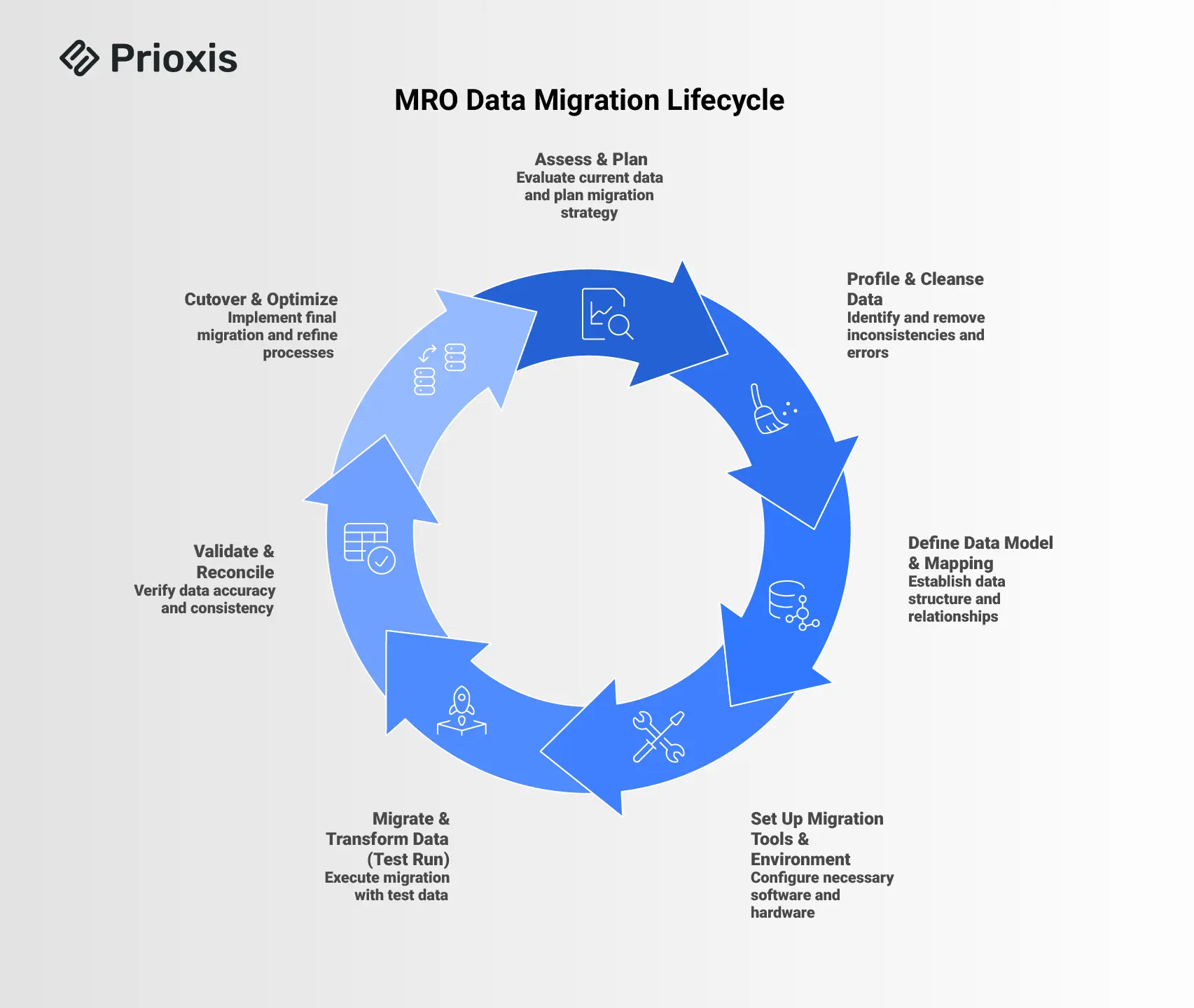
Before you touch a single record, get clear on why you’re migrating.
For MRO operators, the common objective is making compliance task less painful, reducing downtime, optimizing different kinds of operations, etc. These goals should drive how you prioritize data, not the other way around.
- Next, define scope. Which fleets, plants, or sites are in the first wave? Which data domains is most critical – assets, materials, maintenance programs, open work, full history?
- Are you packing up every single file, or just the important documents you need? Getting clear on it stops the project from ballooning into a chaotic and expensive mess.
- Look at what you have carefully. Note down all the small inconsistencies, upon digging through. In short, get the real state of your data, before executing migration.
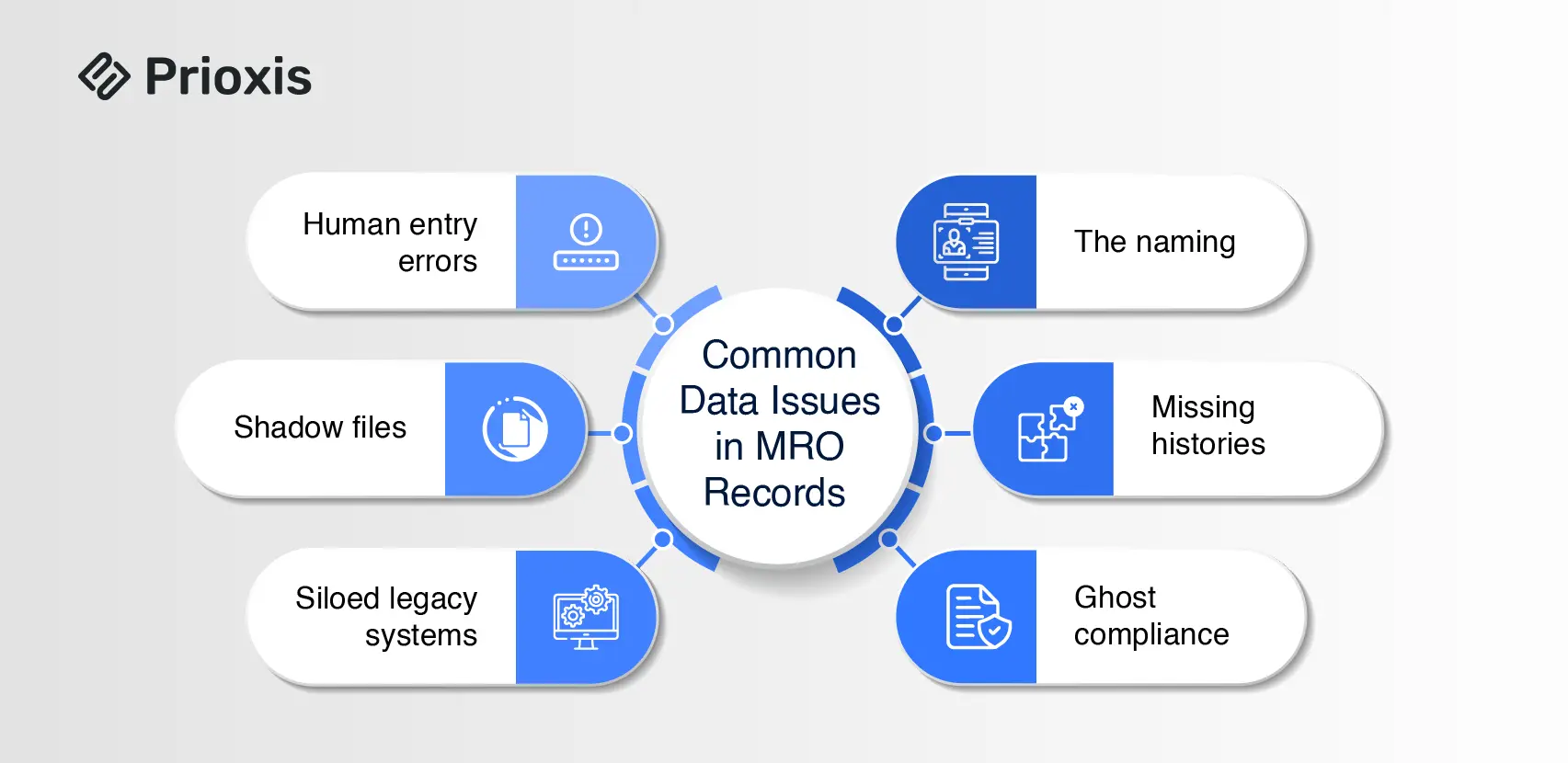
Here is a list of the “unusual suspects" you will find when digging into your records:
- The naming maze; part numbers are recorded differently in different systems.
- The shop-visit history is missing in serialized components.
- Airworthiness directives marked as “compliant” but no linked work orders.
- The unavoidable human errors during manual data entry.
- Shadow files, when data logged in a separate file, not in an actual system.
- Data stored in old, siloed systems, and so on.
Is Migrating Everything a Right Choice?
Though safe, it isn’t. Migrating records. Most teams try to bring everything they have because they are afraid of what we have just discussed earlier – data mismatch. But decade-old, closed records into your new system will not add any value and exceed complexity. They raise the risk of carrying historical errors into a system that's supposed to be your source of truth.
The Three-Pillar Structure for Execution
Below we outline the three core pillars. Visualizing your project against these three prevents the most common structural failures.
Pillar 1: The Data
Scope, map, clean, and verify. Data mapping is not an IT exercise. It requires subject matter experts. The mapping document should answer:
- Is there a single source of truth, or must data be combined from multiple sources?
- Which data can we trust?
- Where is stuff missing, and how do we fix it?
The goal here is a craft a strategic plan for how the business will run, not just a simple list of which box goes where.
Pillar 2: The Technology
Focus on tools that make your migration repeatable, not just possible. Unlike Excel, ETL tools allow you to fix a rule and re-run the entire transformation in minutes, not days. Since every migration requires multiple test cycles, choose technology that supports iteration without compounding your workload.
Pillar 3: The Management
Code moves data. Governance moves people. Yet, organizations consistently starve the human side of the equation, expecting automated scripts to manage systemic chaos.
If you treat migration, verification, and cleansing as a single massive task, you guarantee a single massive failure. Instead, build a triad.
The foundation all three pillars stand on: senior management sponsorship, change management experience, and prior aviation data migration expertise.
You cannot train a generalist IT firm on aviation compliance during an active migration. You either build this highly specialized team internally, or you bring in partners who already operate inside these exact boundaries.
If you want to see how we structure these aviation data teams, you can look through our migration capabilities in legacy application modernization services.
MRO Data Migration Verification Best Practices
Practically, a verification cycle in MRO migration should cover:
- component-level totals against flight records
- Every life-limited part traceable to its origin
- Each directive mapped to the correct tail and showing accurate open/closed status
- Tasks in the new system matching the current authority-approved version
- Bin quantities and locations matching the physical count before cutover
Where Migration May Fail
Gartner report on ERP implementation shows that poor change management is the single largest cause of failure at 42%, ahead of poor data migration (38%) and inexperienced teams (35%).
Those three failure together account for over 75% of all ERP implementation failures. The data problem and the people problem are inseparable.
Industry research show that 95% of organizations that experience ERP failure dedicated less than 10% of total project budget to training, education, and change management.
The Role of Governance
Migration projects fail when ownership is diffuse. Here’s is a practical way to define ownership.
- A project sponsor (the CEO or COO) has the authority for final decision and controls budget and investment.
- A project manager manages the owns every milestone. He/she must have technical experience and in-depth domain knowledge.
- Workstream coordinators for migration, verification, and cleansing. They translate the plan into task-level activities for their teams.
- Data owners, who review, approve records, and sign off before final migration runs.
The MRO Global Market, was valued at $11.4 billion in 2024. And by 2030, it would be worth over a $15 billion market. It presents a massive opportunity for those who treat data infrastructure as a competitive asset.
Companies capturing the most growth will be those with predictive maintenance, and predictive procurement. None of that is possible if the migration is done as a data-moving exercise rather than a data-quality transformation.
The 90-Day Window After Go-Live
The go-live date is not the finish line. It's the moment when the project's quality becomes visible. The post-go-live actions that separate successful migrations from expensive ones:
- Hypercare support: A named support presence for the first 30 to 60 days. Not a helpdesk queue.
- Metrics that reflect reality: Track these signals: work orders closed in-system without manual override, the volume of exception reports generated, and the number of compliance records still flagged for manual review.
- Iterative cleanup: Some data such as OEM documentation uploads, structural damage records, non-critical historical records will not be complete at go-live. That's normal.
- Feedback loops with engineers: The people using the system daily will identify data anomalies faster than any QA process.
Summing Up
Moving your MRO data isn’t just a tech chore you have to tick off to get your new system up and running. It’s actually a rare chance to finally sweep away years of clutter. Here is honest view, if you take the time to map out what you have, set real goals, you win.